
The fixed asset register
for Indian businesses.
Know what you own, and prove it.
Free forever - no card, no asset limit.
Joining your company’s register? Use the link in your invitation email.
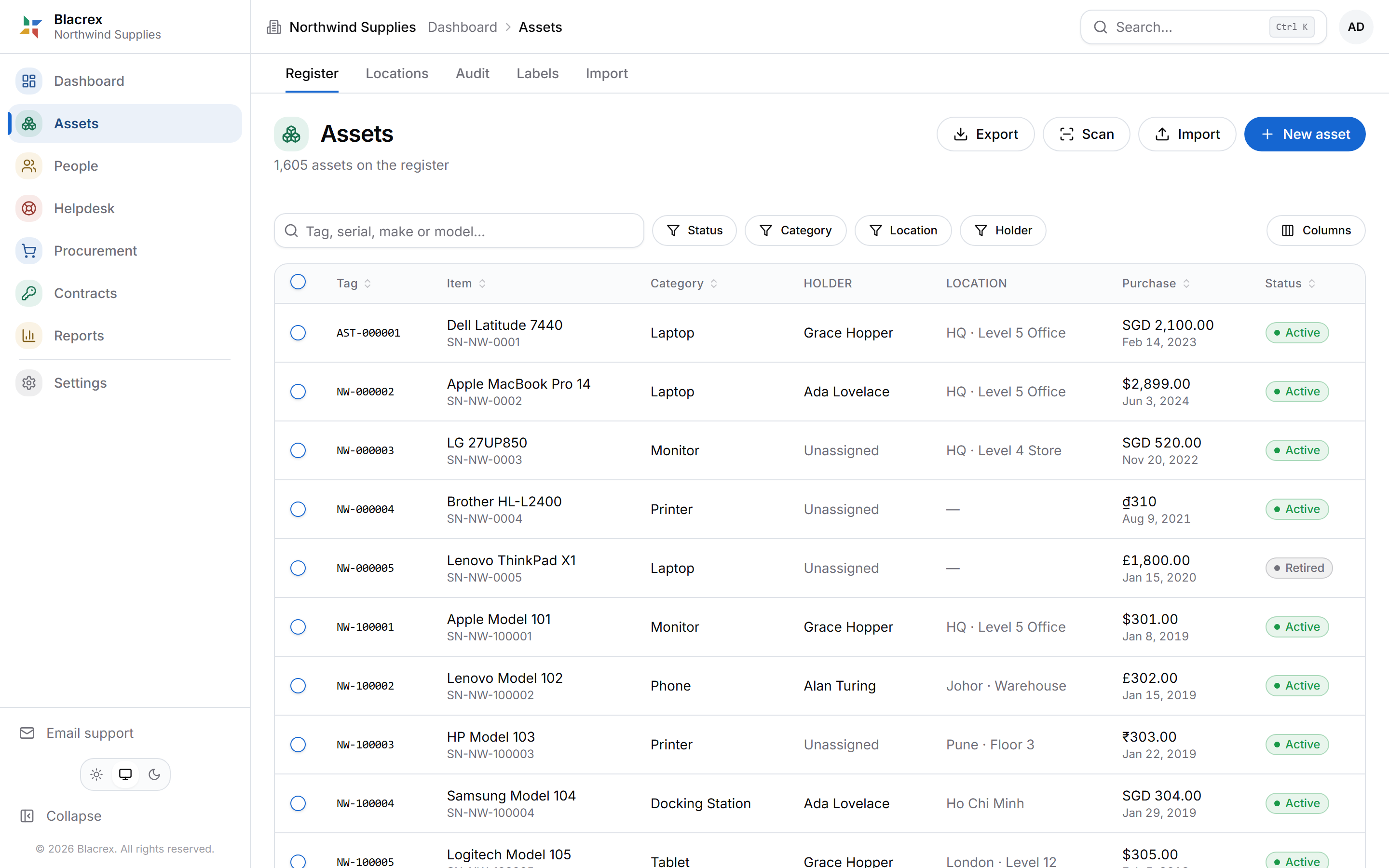
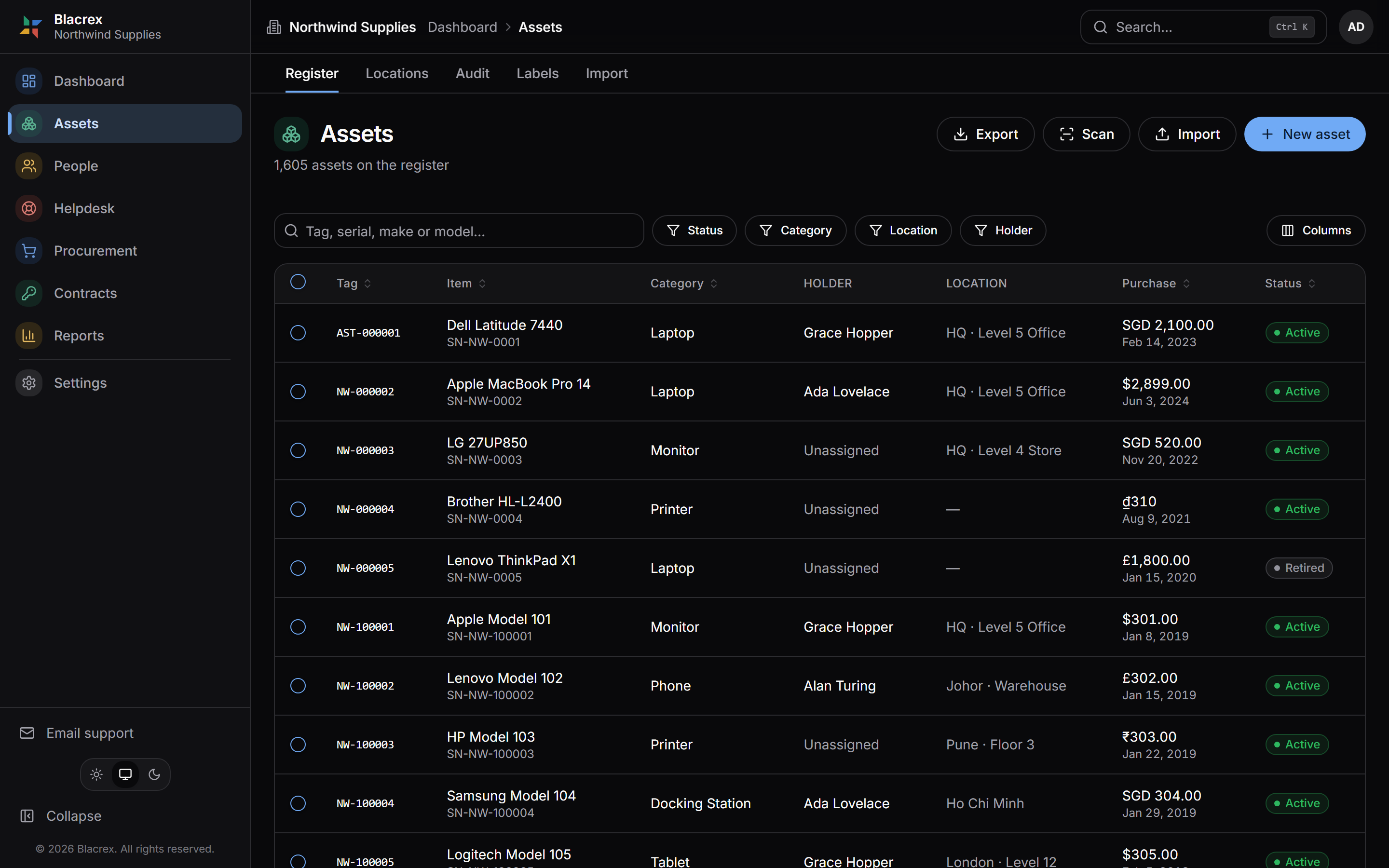
The actual product, over example data.
Five questions, answered properly
What do we own?
Your asset register - every physical asset in one place.
Where is it?
Sites, offices, floors, rooms, warehouses - a real location tree.
Who has it?
Custody, by name - who is responsible for each asset, and since when.
Is that still true?
Physical verification: scans, counts, and the discrepancies, dated.
What is it worth?
Book value, Schedule II depreciation, and the year-end reporting.
From purchase to retirement, one record follows the asset
- 01 Requestsomebody needs it
- 02 Approvalsomebody signs off
- 03 Purchasethe order goes out
- 04 Receiveit arrives, checked in
- 05 Registertagged, one row born
- 06 Assigncustody to a person
- 07 Verifyphysically seen, dated
- 08 Maintainrepairs on the record
- 09 Depreciatevalue, year by year
- 10 Retireclosed, never deleted
One row per thing you own, and it stays true
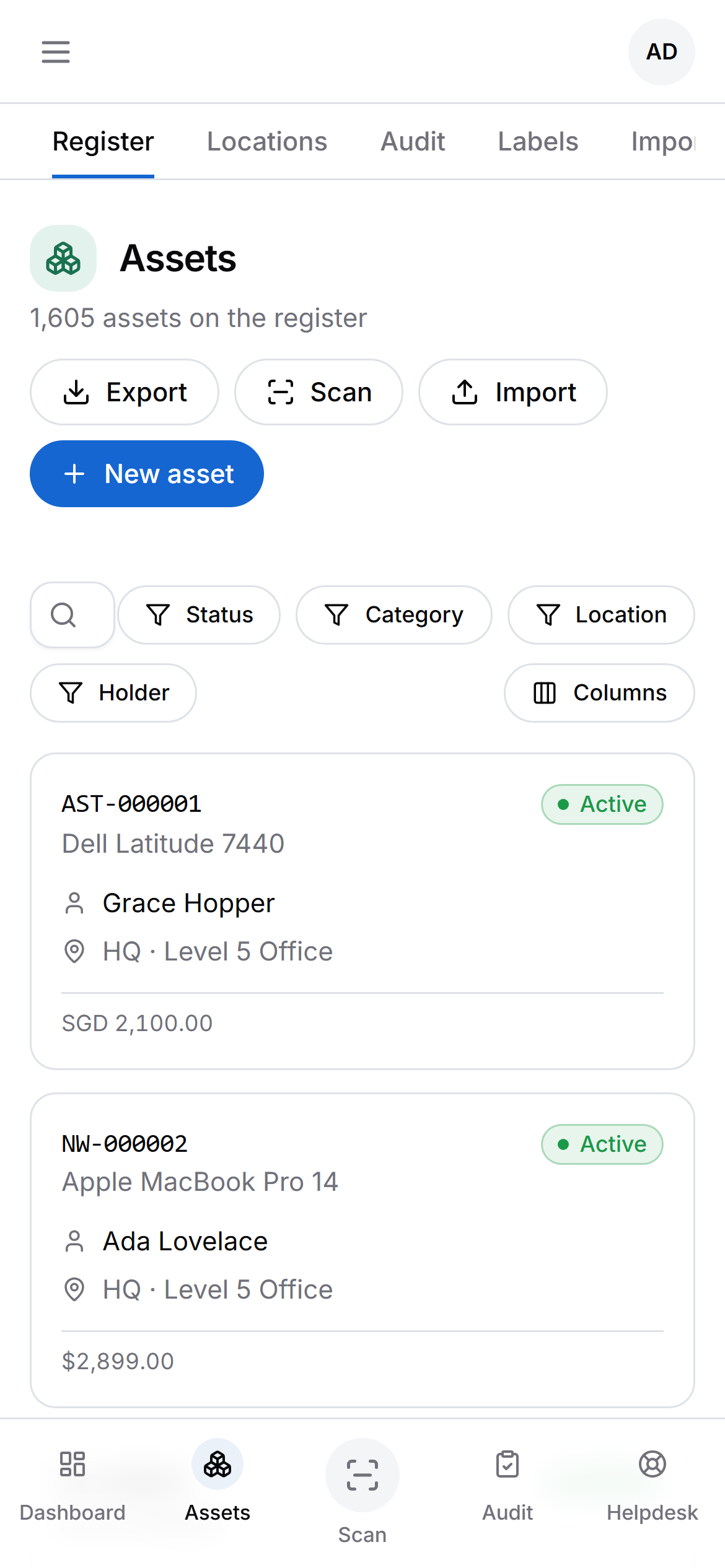
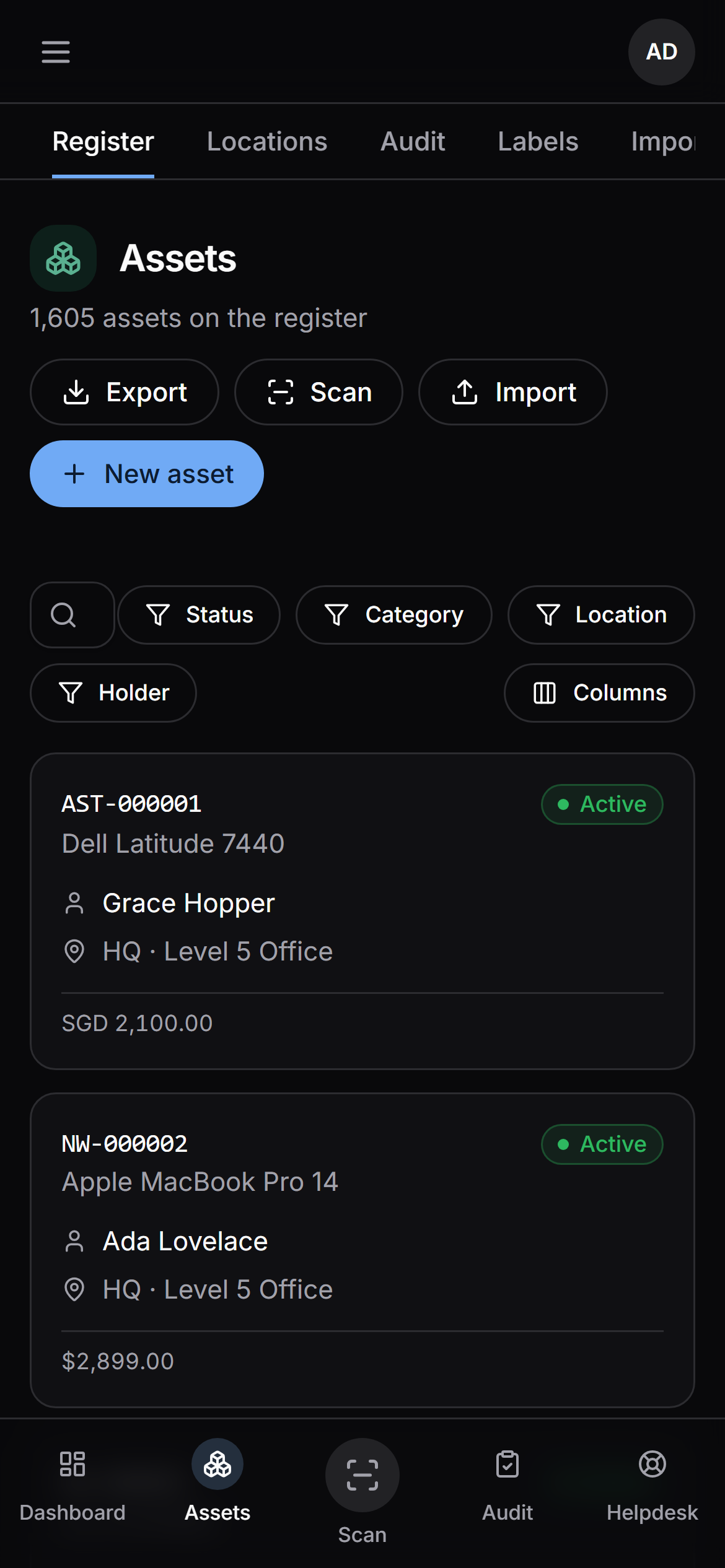
Real screens, example data. The tag scheme is yours - if your equipment already says CHK/PM/0417, the register uses that rather than renaming your estate.
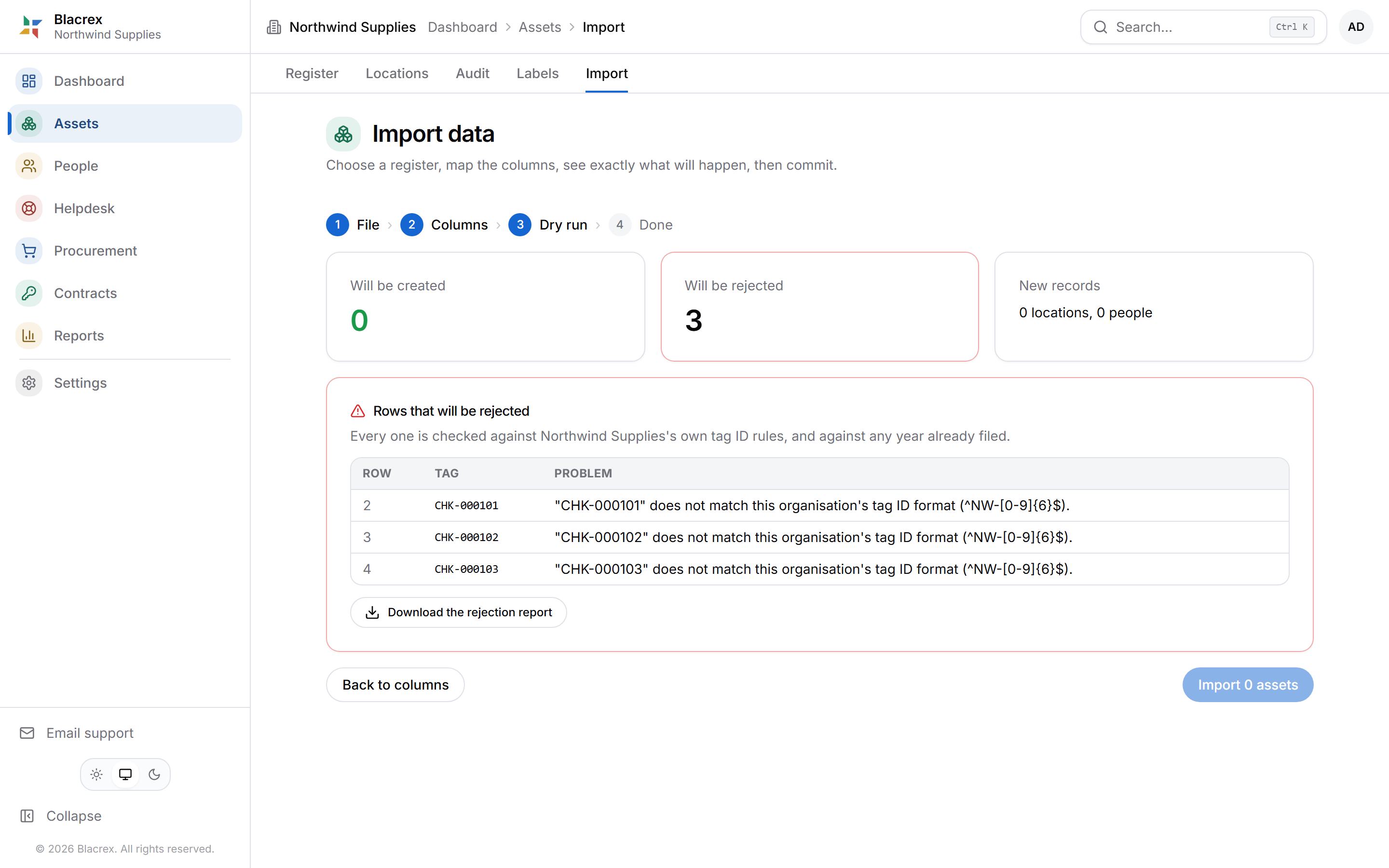
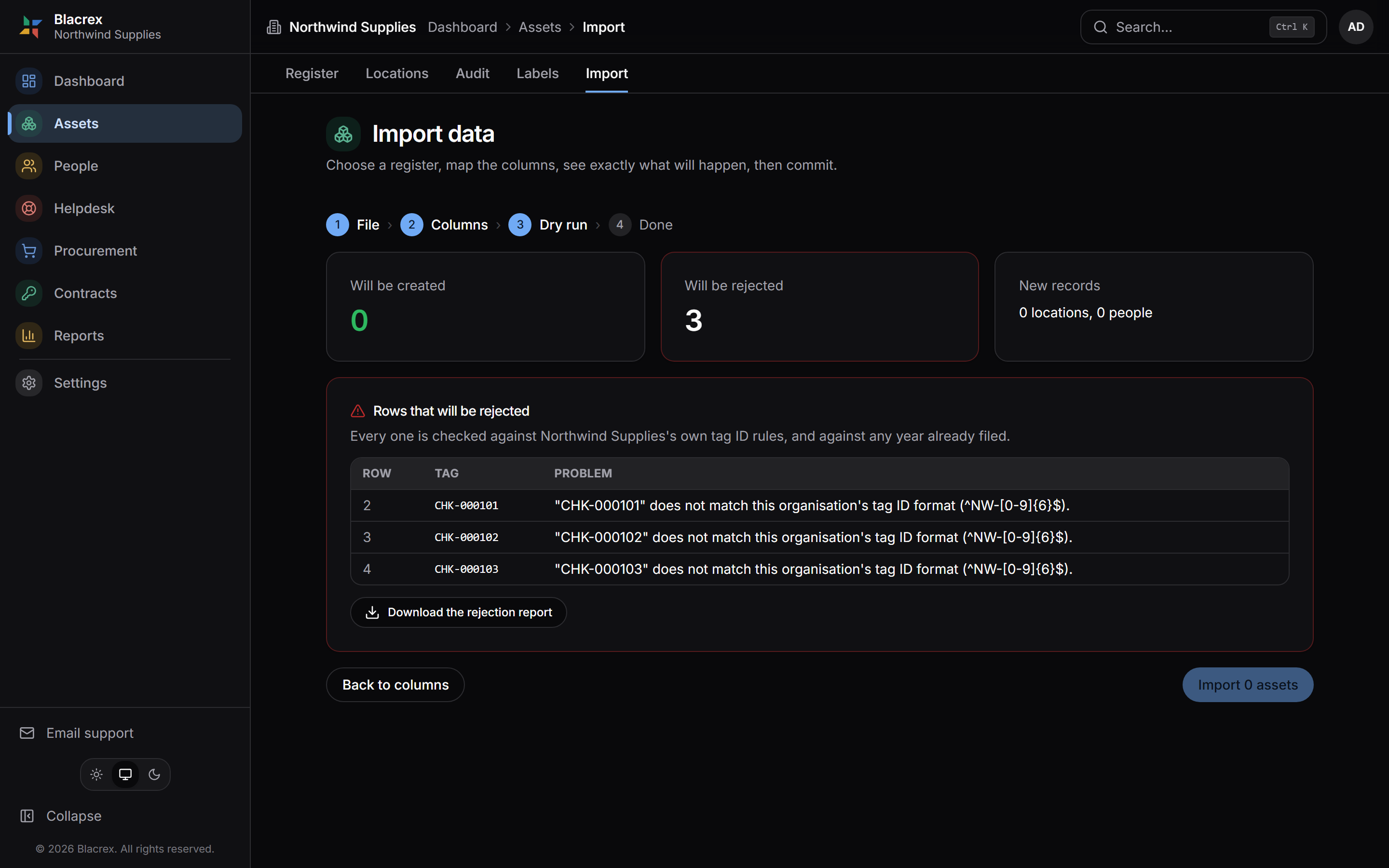
Bring the register you already have
Drop in your Excel or CSV. You see a dry run of every row before a single record is written - nothing ambiguous is ever guessed.
Custody is a history, not a field
Every asset carries its cost, its location and who has held it - a dated trail, not a column that gets overwritten. So last March still answers for last March.
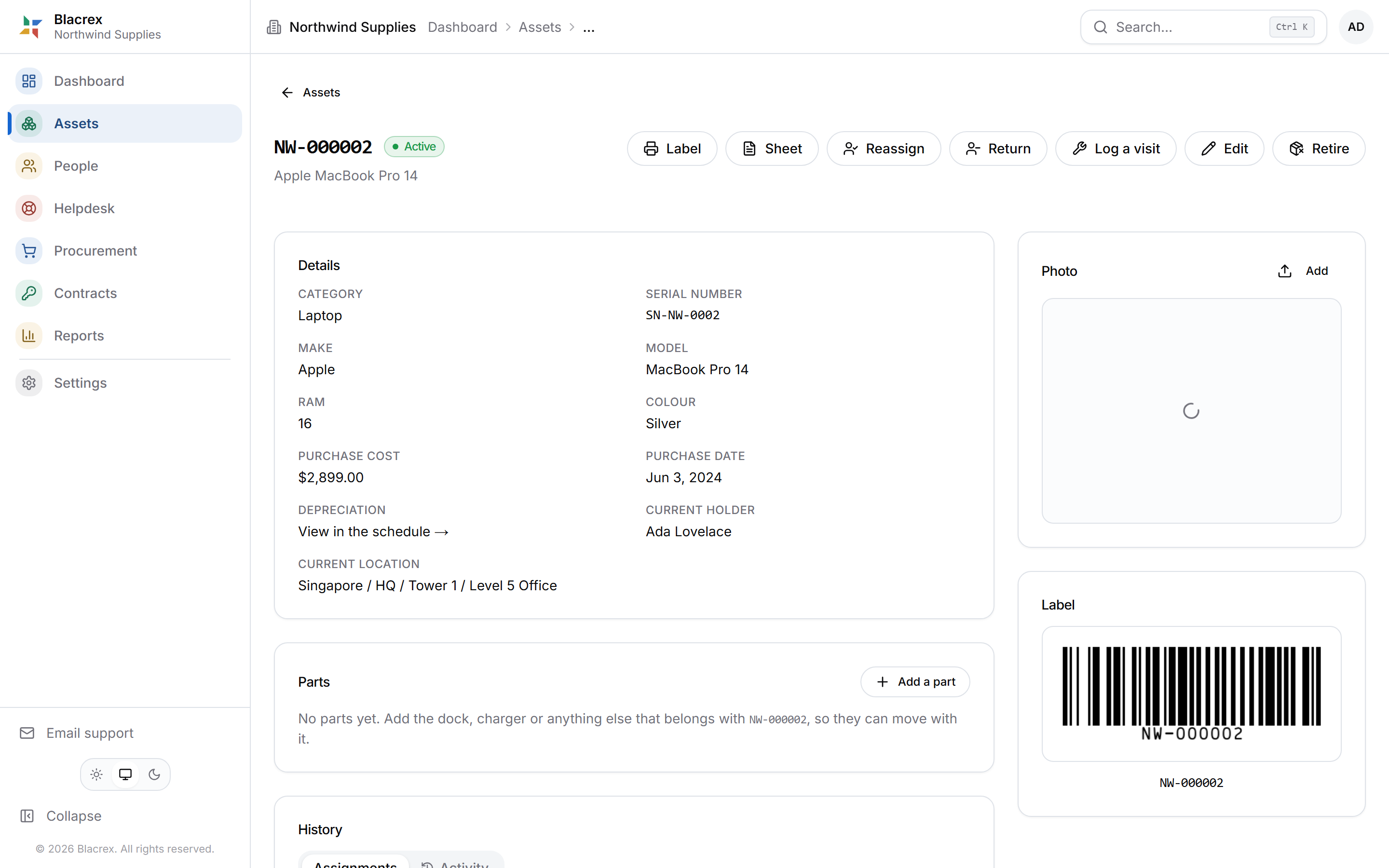
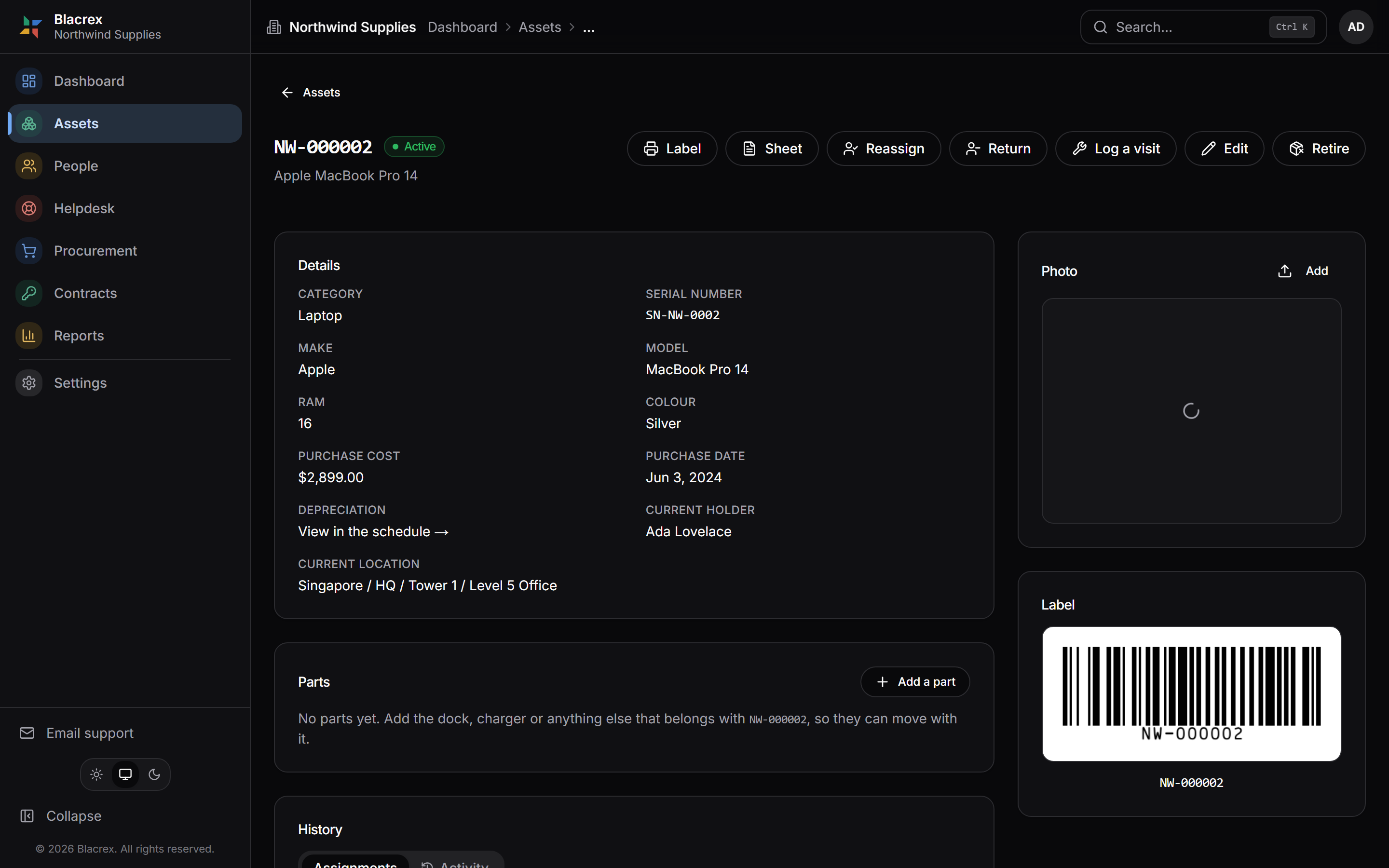
Real screens, example data.
Schedule II, computed exactly, with the working shown
Straight line and written-down value, on the statutory useful lives - and every figure traces back to the asset that produced it. See one asset’s full working.
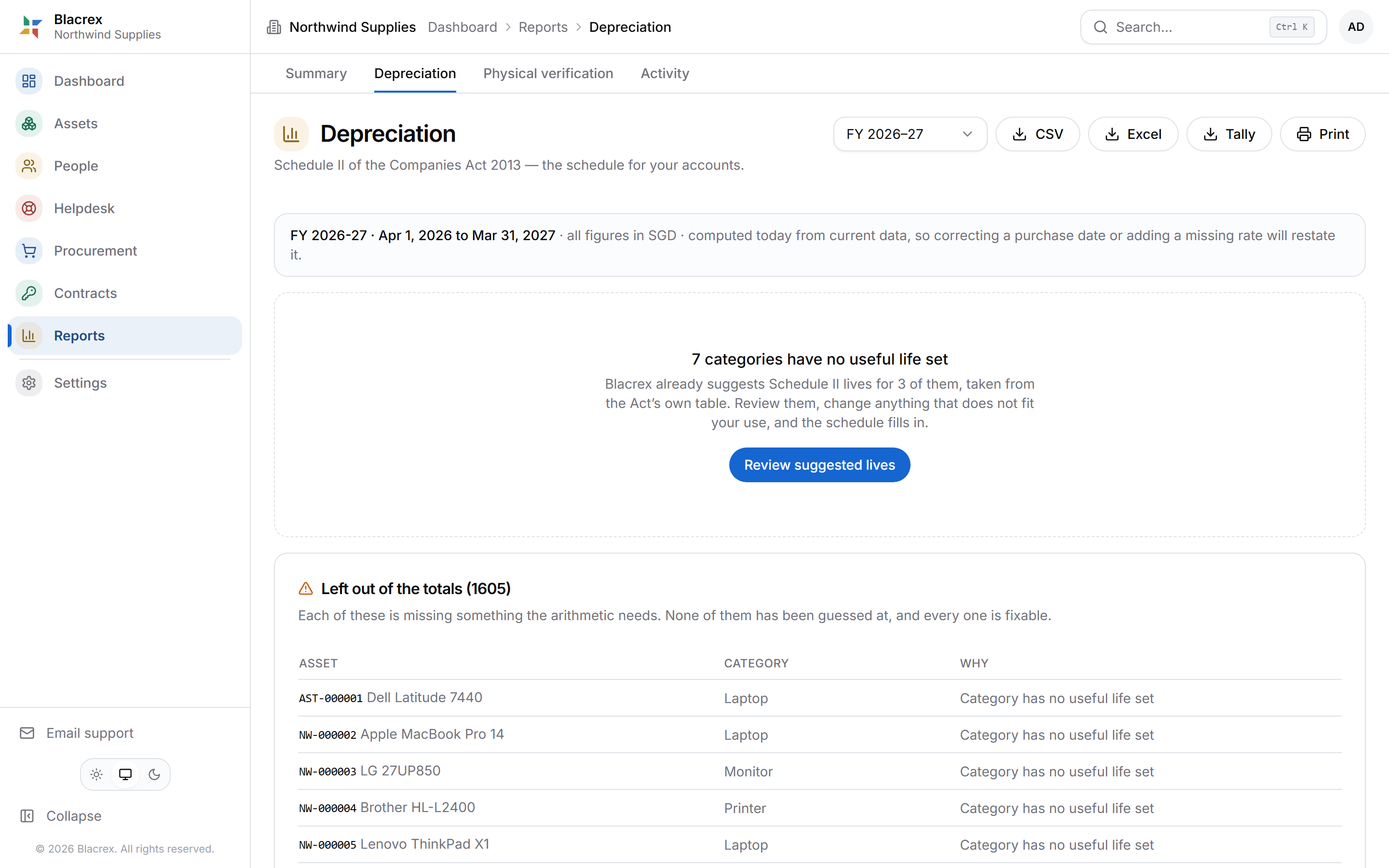
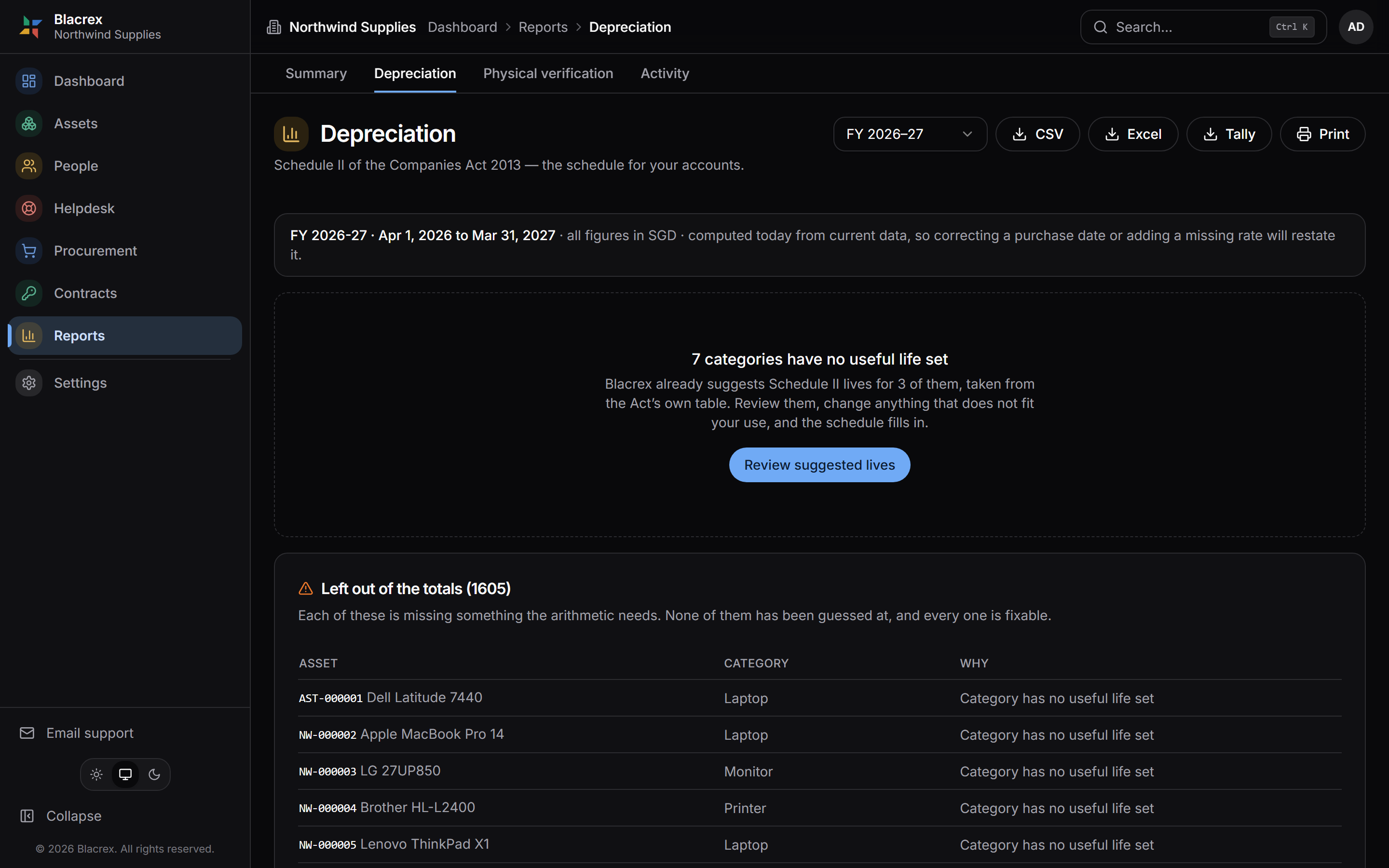
Real screen, example data. A filed year is snapshotted and locked - later edits cannot silently rewrite a year you have already reported.
Written for the person who checks
CARO 2020 asks your auditor whether assets were physically verified and discrepancies properly dealt with - answering that needs records nobody could have tidied up afterwards.
The log cannot be edited
Written once, it stays written - no updates, no deletes, no emptying, and who-did-it comes from the signed-in identity itself. A rule underneath the application, which the application obeys too.
Custody is a history, not a field
Who holds a thing is a dated row, never an overwrite - so March still answers for March.
An accepted count is closed
An accepted count stops being changeable, for every caller - a second count is never a correction to the first.
Coverage is reported, not asserted
The report says what share of the register was actually found, and lists what was not - even when it is not the figure you were hoping for.
- Schedule II, Companies Act 2013
- Depreciation follows the prescribed useful lives, or you justify a different one in your accounts. The register is where that justification lives.
- CARO 2020, clause 3(i)
- Your auditor has to report whether you maintain proper records of property, plant and equipment, and whether they were physically verified at reasonable intervals.
- Section 128, Companies Act 2013
- Books of account and the papers behind them must be preserved for years, not quarters. A register living in one ex-employee’s personal drive does not meet that bar.
CARO does not apply to every company, and the register is worth keeping either way - the exemption thresholds are exactly the kind of thing worth asking your CA about once.

Somewhere in here is the thing you are looking for. The register knows which shelf.
Pricing
Use the full register free. Pay at year-end.
The register is free with no ceiling. One thing has a price - the Year-End Pack, bought once for a financial year.
The register
Everything, all year round.
₹0
free forever · no card
Includes
- Unlimited assets and people
- Custody history on every asset
- Locations, floors and rooms
- Labels, scans and audits
- Helpdesk, maintenance, procurement
- Schedule II depreciation on screen
- Export your data anytime
- Email support
No asset limit. No time limit.
Starter
Year-End Pack · Up to 500 assets in use
₹9,999/year
billed once · nothing renews
Everything in Free, plus
- Schedule II schedule - CSV, Excel, print
- TallyPrime journal file
- Photo + handwriting import
- Email + WhatsApp support
- Income-tax depreciation, in CA review
- And more, coming soon
Whole company. Nothing per user.
Business
Year-End Pack · 501 – 2,000 assets in use
₹19,999/year
billed once · nothing renews
Everything in Free, plus
- Schedule II schedule - CSV, Excel, print
- TallyPrime journal file
- Photo + handwriting import
- Priority email + WhatsApp support
- Income-tax depreciation, in CA review
- And more, coming soon
Whole company. Nothing per user.
Corporate
Year-End Pack · 2,001 – 5,000 assets in use
₹29,999/year
billed once · nothing renews
Everything in Free, plus
- Schedule II schedule - CSV, Excel, print
- TallyPrime journal file
- Photo + handwriting import
- Priority support, direct line
- Income-tax depreciation, in CA review
- And more, coming soon
Whole company. Nothing per user.
If you do not buy another year, nothing is locked and nothing is deleted. Your register, your people and your history all keep working - only the Year-End Pack and photo import stop.
No GST is added. Prices are final.
Nothing renews by itself. We hold no card on file.
Only assets in use count - retired, disposed and lost ones do not.
Several companies? Each gets its own workspace, free - the Year-End Pack is priced per company.
See it before you decide: download a sample schedule and Tally voucher, made by the same engine from a fictional company.
The rest of the year is covered too: custody, helpdesk, maintenance & AMC, procurement, software seats and the physical audit - every module on every plan, the free one included.
The questions people actually ask
We already do this in Excel. What breaks?
Nothing, until someone copies a row. Then two assets share a code, the depreciation double-counts, and nobody notices for three years because the total still looks plausible.
The other thing Excel cannot do is tell you when an asset was last physically seen - which is the question CARO makes your auditor ask.
Does it work with Tally?
It exports the depreciation entry as a TallyPrime journal voucher. You import it the way you import any voucher - we never need access to your Tally data.
Can our chartered accountant get in?
Yes - invite them as a viewer, on any plan. There is no per-seat charge. They can read the register, the schedule and the audit trail, and they cannot change anything.
We have 2,000 assets in a spreadsheet nobody trusts. Where do we start?
Import it as it is - an Excel file or a CSV. The importer maps your columns to ours, shows you a dry run of every row it would create or reject, and refuses anything ambiguous rather than guessing. You look at the dry run before a single record is written.
How many people can use it?
Everyone who needs to - there is no per-seat charge on any plan. Roles decide what each person may do: owners and admins run the workspace, editors keep the register, viewers can read everything and change nothing.
Is GST added on top of the price?
No. The price on the page is the price on the invoice - no GST is added.
What if we want to leave?
Export your data first - it is yours and downloadable at any time - then the owner can delete the workspace from Settings. There is a seven-day grace period in which nothing is lost and the owner can cancel; after it, the workspace and its files are gone.
Nothing is held hostage in the meantime: a workspace pending deletion keeps working normally for those seven days.
Your auditor will ask for the register. Have one.
Create your workspace in a minute - free, no card - or sign in if your organisation already has one.